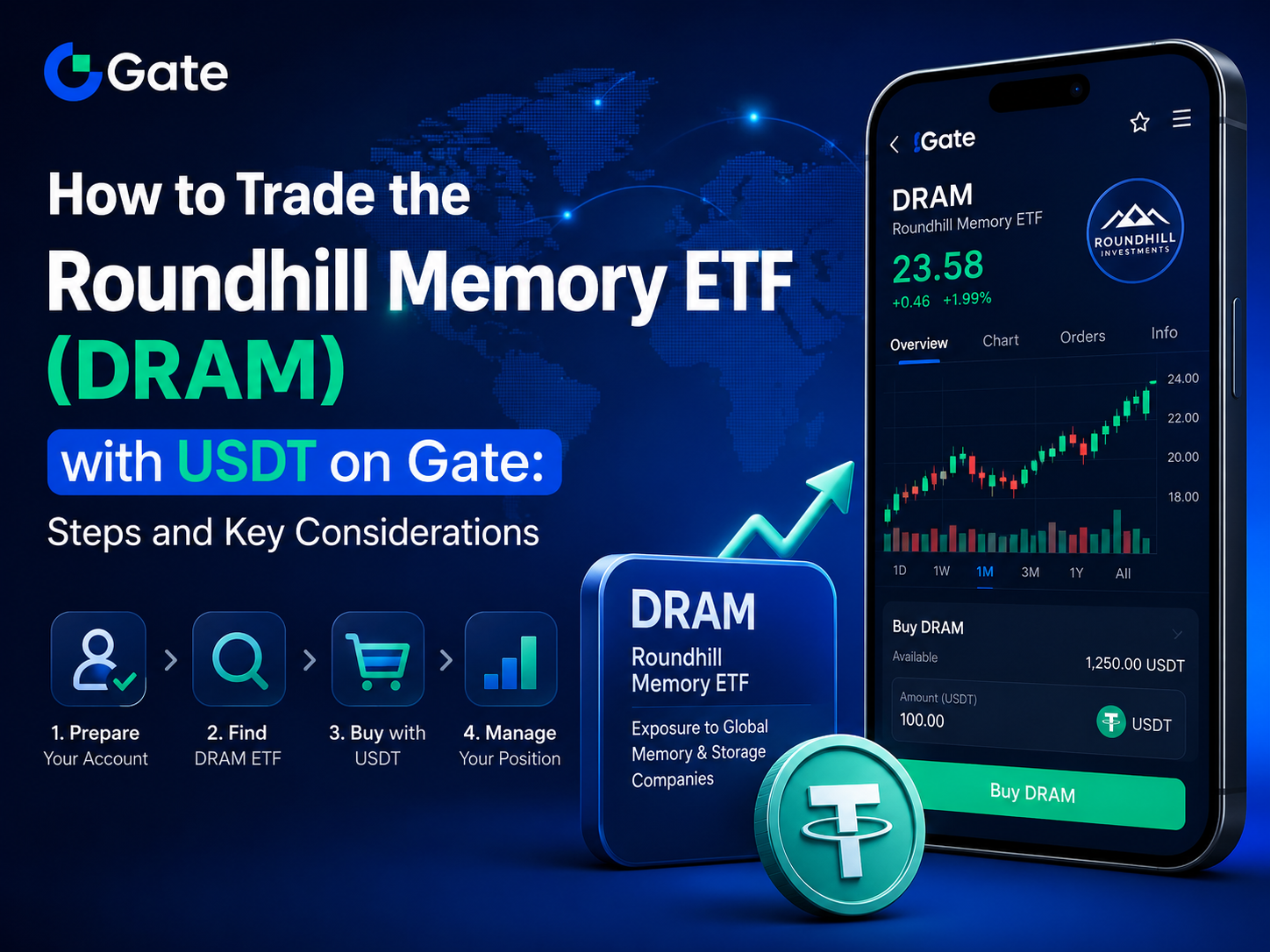
DRAM is an actively managed memory-focused ETF launched by Roundhill Investments, primarily covering HBM, DRAM, NAND, and related memory companies. Gate has introduced a dedicated stock quote page for DRAM and also offers the DRAM_USDT perpetual futures contract. As a result, users must verify the product type before trading to avoid confusing ETF spot trading with derivatives that involve leverage and margin mechanisms.
The process can be summarized as follows: access Gate Stocks, transfer USDT to your stock account, search for DRAM, submit a buy order, and review your positions. You can then sell and settle to USDT as needed. Account eligibility, regional access, trading hours, and order features may change, so always refer to the DRAM page and the latest Gate rules for actual operations.
What to Prepare Before Trading DRAM ETF on Gate
Before trading DRAM ETF on Gate, users must complete Gate account registration and platform-required identity verification and confirm that their country or region supports Gate Stocks. Stock services have separate eligibility and regional restrictions—having access to Gate’s crypto features does not guarantee permission to trade US stocks or ETFs.
You also need to have available USDT and transfer funds from your spot or unified account to your stock account. Gate’s operation guide clearly states that without transferring funds to your stock account, you can view market data but cannot submit valid buy orders; the tradable amount is determined by the available balance in your stock account.
Before entering the trading page, it’s recommended to verify the following:
- The fund name is Roundhill Memory ETF and the trading code is DRAM.
- The product is listed under Gate Stocks, not under stock futures, CFD, or other derivatives.
- Your available USDT in the stock account is sufficient to cover the trade amount and any fees.
- DRAM is currently within the tradable period and the buy/sell buttons are active.
- Whether the page allows order input by ETF shares or by USDT amount.
DRAM is a US market ETF, and its trading hours generally align with US stock market hours. Gate notes that most stocks can be traded during regular US market hours, and some popular assets may support pre-market or after-hours trading. Always refer to the product page for specific arrangements.
How to Find the Roundhill Memory ETF (DRAM) Trading Page
After logging in to Gate, users can access stock services via the TradFi category, market entry, or the Stocks page, or by entering “DRAM” or “Roundhill Memory ETF” in the platform’s search bar. Gate’s stock operation guide recognizes searching by code or name as an official entry point.
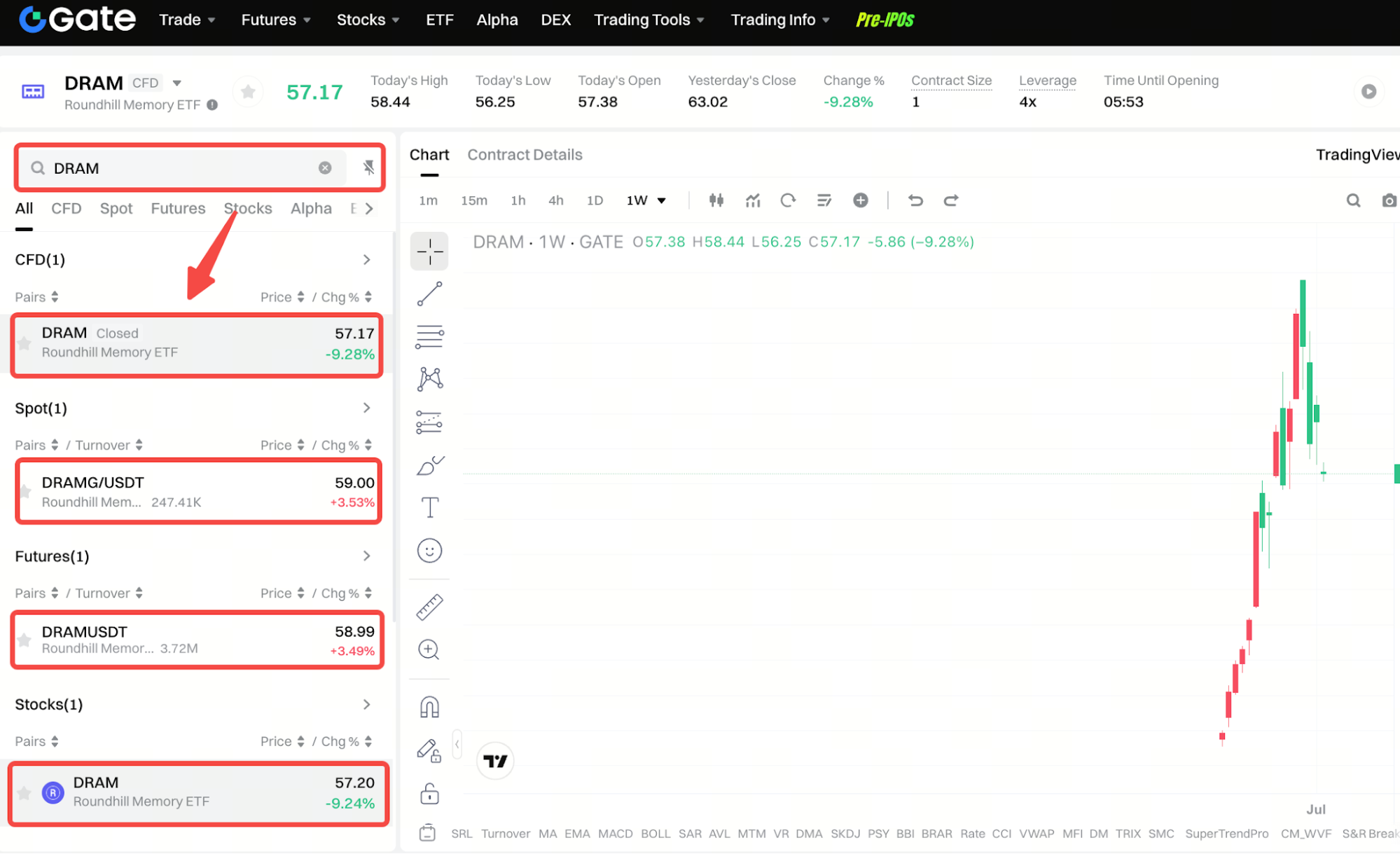
Once on the results page, verify the product name, code, and type. Gate provides a dedicated DRAM Stocks page for real-time prices, charts, and market performance. There is also a DRAM_USDT perpetual futures page, so finding the same code does not guarantee you are viewing the same product.
| Verification Item |
DRAM ETF on Gate Stocks |
DRAM_USDT Perpetual Futures |
| Product Type |
US-listed ETF |
USDT-margined perpetual futures |
| Trading Target |
Roundhill Memory ETF shares |
Derivative contract tracking DRAM price |
| Main Actions |
Buy, hold, sell |
Go long or short |
| Leverage |
Gate Stocks does not support margin buying |
Leverage available per announcement |
| Funding Requirement |
USDT in stock account |
Futures margin |
| Liquidation |
Not subject to margin liquidation |
Margin and liquidation risks present |
| Corporate Actions |
As per Gate Stocks rules |
Does not directly hold ETF shares |
| Page Entry |
Gate Stocks |
Gate Futures |
Gate launched the DRAM_USDT perpetual futures contract in May 2026, with support for both long and short positions and 1–20x leverage. When preparing to buy the ETF, ensure the page is labeled as Stocks, not Futures or USDT-M Perpetual.
How to Buy DRAM ETF with USDT
To buy DRAM ETF with USDT, go to the DRAM stock page, select “Buy,” and enter the number of ETF shares or the USDT amount you wish to use, as prompted. Before submitting, check the estimated trade amount, available balance, quote, and fees, and confirm before sending the order.
Gate’s stock operation guide explains that market orders are executed at the best available price at the time, but actual fill prices may differ due to market volatility, slippage, or network delays. After submitting an order, check its status, as it may be fully filled, partially filled, or not immediately filled.
Regarding order types, there are discrepancies between two official Gate pages: the detailed operation guide published June 29, 2026, states only market orders are currently supported for Stocks, while the product overview updated July 8, 2026, mentions both market and limit orders can be submitted. This suggests features may be in transition; always follow the order types shown on the DRAM page.
| Step |
Action |
What to Check |
| Prepare Funds |
Transfer USDT to stock account |
Has the balance arrived? |
| Search Asset |
Enter DRAM or fund name |
Is it listed under Gate Stocks? |
| Enter Order |
Input by shares or USDT amount |
Quantity, amount, and price |
| Confirm Trade |
Check fees and order details |
Is the estimated cost correct? |
| Submit Order |
Place buy instruction |
Is it within tradable hours? |
| Review Fill |
Check order and trade history |
Filled shares and average price |
Submitting an order does not mean a position has been established. Only filled ETF shares appear in your position; unfilled portions must be checked in order records. If your order is still unfilled near market close, the unexecuted portion may be automatically canceled per daily order rules.
How to View DRAM ETF Positions and Order History
After a DRAM buy order is filled, users can view current positions on the Gate Stocks Positions page. This page displays ETF shares, cost, unrealized P&L, and net asset value, updating as market prices change.
The Orders and Trade History pages serve different purposes. Orders shows active orders, while Trade History displays current and historical orders as well as fund flows. Fund flows also record buys, sells, fees, transfers, and dividends.
Distinguish the following five record types:
- Position Records: Current DRAM ETF shares held.
- Current Orders: Submitted but not yet fully filled instructions.
- Historical Orders: Filled, canceled, or expired orders.
- Trade Records: Actual filled shares, prices, and times.
- Fund Flows: USDT transfers, trade settlements, fees, and corporate actions.
If a buy order is submitted but no position appears, check the order status first rather than submitting again. During rapid market moves, actual fill prices may differ from the quote seen before order submission. If the order isn’t immediately fully filled, Gate recommends confirming the result on the Orders page.
How to Sell DRAM ETF and Settle to USDT
To sell DRAM ETF, select DRAM from the positions page and use the “Close Position” feature, or go to the DRAM stock page and select “Sell.” Enter the number of shares to sell and confirm the order. The actual quantity you can sell is based on your available position.
Gate’s guide states that “Close Position” lets you specify the number of shares to sell, while “Market Close All” sells all available shares at once; both are processed as market orders. Market selling prioritizes speed, but the final price may differ from the price shown at submission.
When the order is completed, your DRAM position will decrease, proceeds will return to your stock account’s available balance, and settlement will be in USDT. Check trade records and fund flows for the filled quantity, average price, trading fees, and final credited amount.
ETFs may also undergo dividends, splits, reverse splits, or other corporate actions. Gate states these entitlements typically do not require manual application; the platform will allocate or adjust according to your holdings and applicable rules, reflected in your stock account and fund flows.
Gate Stock Page vs. DRAM_USDT Perpetual Futures: Key Differences
The core difference between the Gate stock page and DRAM_USDT perpetual futures is that the former is for buying and holding Roundhill Memory ETF, while the latter is a leveraged derivative settled based on DRAM price movements. While both may show similar prices, their asset nature, position mechanics, and risk structure are fundamentally different.
Gate Stocks currently supports buying and selling only, with no margin buying or direct short selling. DRAM_USDT perpetual futures allow users to go long or short and use margin to leverage positions, introducing leverage, liquidation, and futures trading rules.
| Comparison |
DRAM ETF Stock Page |
DRAM_USDT Perpetual Futures |
| Nature |
ETF share trading |
Price derivative contract |
| ETF Exposure |
Held via Gate Stocks & brokerage |
Not direct ETF shareholding |
| Tradable Directions |
Buy, hold, sell |
Long or short |
| Leverage |
No margin buying |
Leverage supported |
| Margin |
No futures margin |
Maintenance margin required |
| Liquidation |
No liquidation |
Forced liquidation possible |
| Trading Hours |
US stock hours & platform schedule |
Potentially extended trading hours |
| Corporate Actions |
Reflected per Stocks rules |
No direct ETF corporate actions |
| Costs |
Stock trading fees |
May include contract fees & funding rates |
| Records |
Stocks positions & fund flows |
Futures positions & contract records |
When searching for DRAM, pay attention to the product category at the top of the page, not just the code. To buy the ETF, use the Stocks page; to trade the price derivative, understand the margin and liquidation rules of perpetual futures.
How Trading DRAM ETF with USDT on Gate Differs from Traditional Brokers
Trading DRAM ETF with USDT on Gate differs from using traditional brokers mainly in funding, account structure, and shareholder registration. Gate Stocks uses USDT for trading and settlement, integrating stock and digital asset accounts, while traditional brokers typically require USD or local fiat deposits.
Both methods allow buying, holding, and selling stocks or ETFs to realize gains or losses based on market price changes. Gate states its Stocks service accesses securities markets through regulated brokers, with client assets pooled in omnibus accounts at the clearing level; shares are not registered in the user’s personal name with the issuer.
| Comparison |
Gate USDT Trading |
Traditional Broker Trading |
| Funding |
USDT |
USD or local fiat |
| Account |
Gate stock account |
Independent securities account |
| Currency Conversion |
No manual conversion needed |
May require currency exchange |
| Settlement |
USDT |
Typically USD |
| Asset Registration |
Omnibus, not personal name |
Broker-dependent |
| Voting Rights |
Not provided |
Some brokers offer |
| Corporate Actions |
Per Gate platform rules |
Per broker/market rules |
| Short Selling & Margin |
Not currently supported |
Some brokers support |
| Asset Management |
Integrated with digital assets |
Typically separate |
| Trading Hours |
By asset & Gate schedule |
By exchange & broker schedule |
Gate Stocks users may receive eligible cash dividends, splits, and reverse split adjustments per platform rules, but typically do not have traditional shareholder voting rights. Whether traditional brokers provide voting, tax documents, or other services depends on the broker and account type.
Summary
To trade Roundhill Memory ETF (DRAM) with USDT on Gate, complete account verification and regional eligibility, transfer USDT to your stock account, search for DRAM on Gate Stocks, and place a buy order during tradable hours. Once filled, you can track ETF shares and account changes via positions, orders, and fund flows.
The key is to ensure you are on the DRAM ETF Stocks page, not the DRAM_USDT perpetual futures or other derivatives. While both reference the same ETF price, they differ fundamentally in leverage, margin, short selling, liquidation, and corporate actions.
After selling DRAM ETF, funds are settled as USDT per Gate Stocks rules. Order types, trading hours, fees, and features may change—always refer to the DRAM page and the latest Gate Help Center for official guidance.
FAQ
Can I buy DRAM ETF directly with USDT on Gate?
Eligible users can buy DRAM ETF with USDT via Gate Stocks, but must complete identity verification, regional eligibility, and transfer funds to their stock account.
How do I find Roundhill Memory ETF on Gate?
Go to the Stocks page under TradFi, search for “DRAM” or “Roundhill Memory ETF,” and confirm the product is listed as Stocks, not Futures or CFD.
Does Gate support limit orders for DRAM ETF?
There are discrepancies on Gate’s official pages regarding order types. The detailed guide currently states only market orders are supported; always follow the order types displayed on the DRAM trading page.
Are DRAM ETF and DRAM_USDT perpetual futures the same?
No. DRAM ETF is traded in the stock account, while DRAM_USDT is a perpetual futures contract with margin, leverage, and liquidation.
What asset do I receive after selling DRAM ETF?
After a sell order is filled, funds are settled to the available USDT balance in the stock account per Gate Stocks rules; the actual amount is shown in the trade record.
Do Gate users have voting rights for DRAM ETF?
Gate Stocks users generally do not have traditional shareholder voting rights, but eligible dividends, splits, and other economic entitlements will be credited per platform rules.