Gate Swap's concentrated liquidity function operates on the Gatelayer network, significantly enhancing capital efficiency and increasing Trading Fee income by allowing Liquidity Providers (LP) to deploy funds within customized price ranges.
- Higher capital efficiency: The same funds can provide deeper liquidity depth.
- More Trading Fee income: LP in active price ranges can obtain a higher proportion of Trading Fee sharing.
- More flexible strategies: Price ranges can be adjusted independently according to market conditions.
Step One: Create and Add Liquidity
1.Preparation: Ensure the Wallet is switched to the Gatelayer chain and holds sufficient Trading Pair tokens and GT (to pay Gas fees).
2.Select parameters:
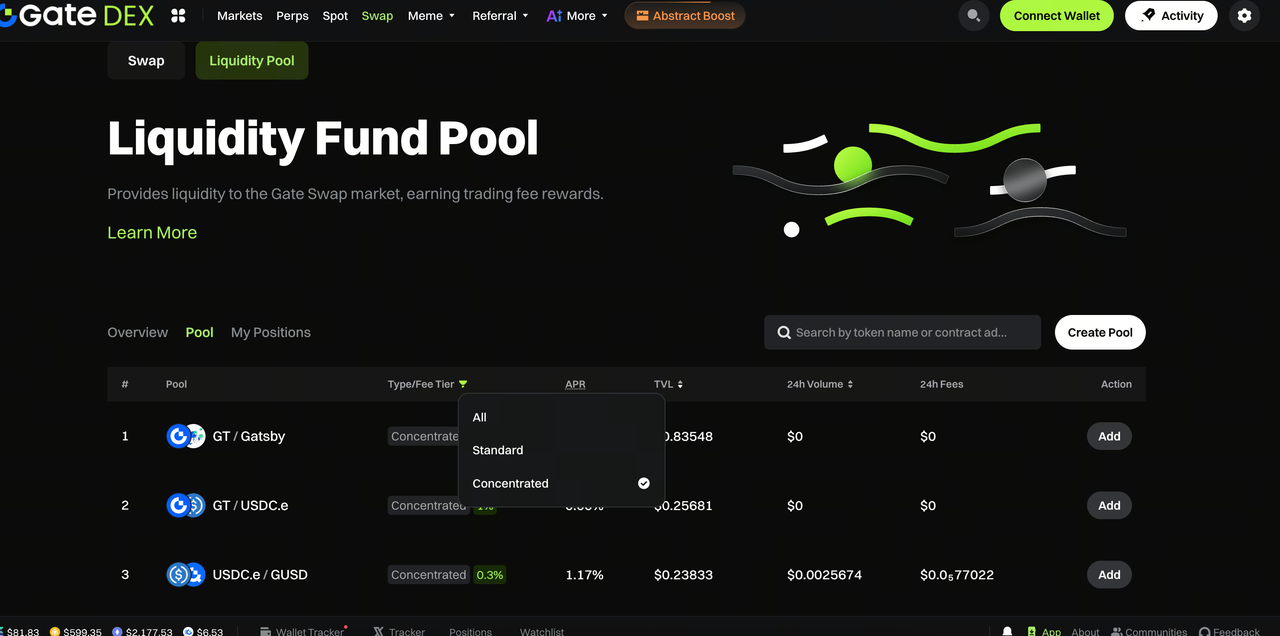
- Enter the "Liquidity" page and click "Create Liquidity."
- Select the Trading Pair (such as ETH/USDT) and set the fee rate level (0.05% / 0.30% / 1.00%).
3.Set price range:
- Custom Range: Manually input or drag the chart to set the upper and lower price limits. The narrower the range, the higher the Trading Fee sharing, but once the price exceeds the range, income will stop.
- Full Range: Similar to traditional AMM, no price limitation but lower capital efficiency.
4.Deposit funds
Input the amount, and the system will automatically match the ratio. Click "Approve" and "Add Liquidity" in sequence and confirm in the Wallet.
- Hold certificate
After success, you will receive an NFT as the only certificate for managing the position.
Step Two: How to View My Holdings and Claim Income
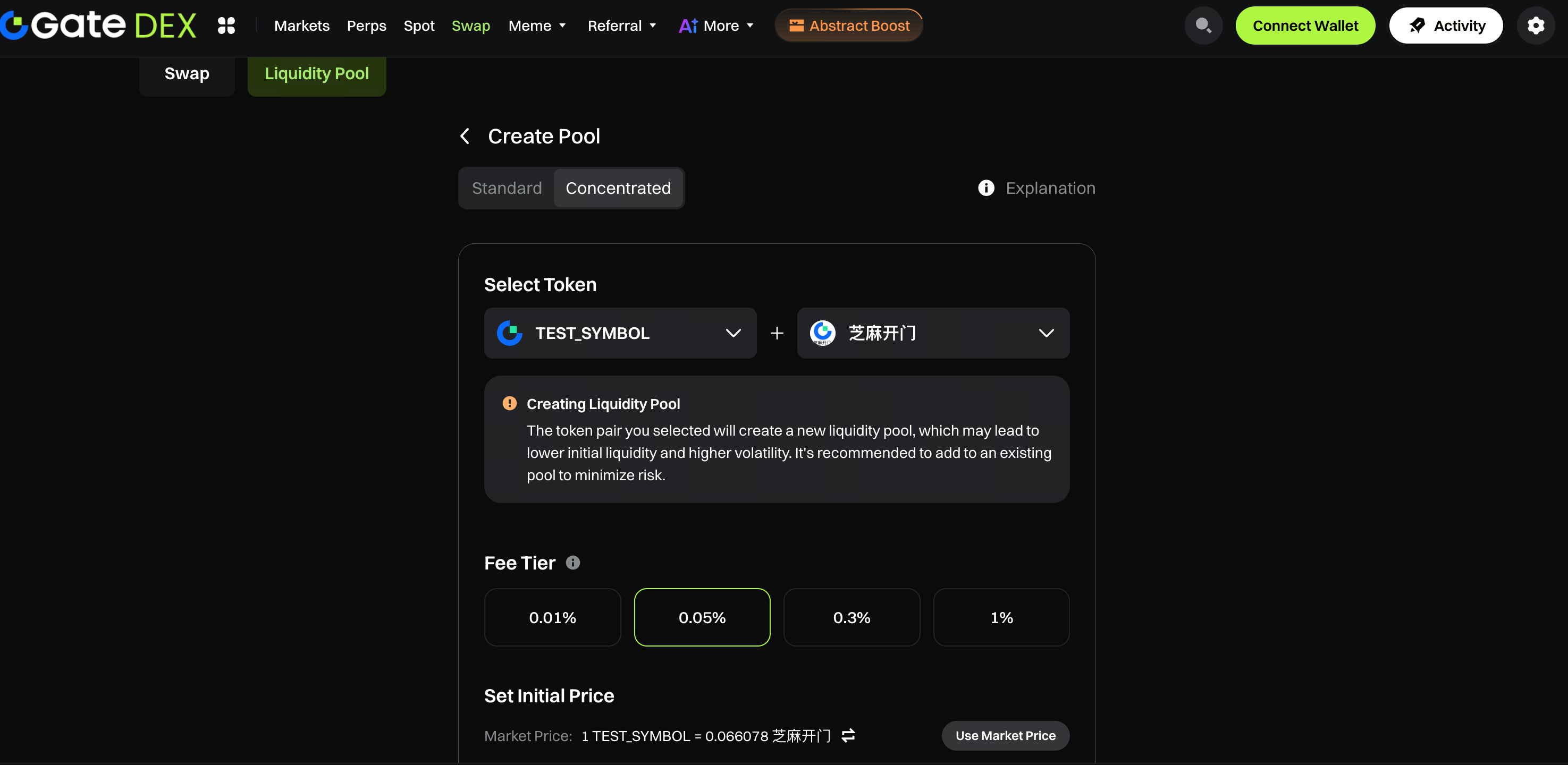
1.View position status: Monitor the position under the "My Holdings" tag.
- In Range: Funds are working and earning Trading Fee.
- Out of Range: The current price deviates from the set range, and income is suspended.
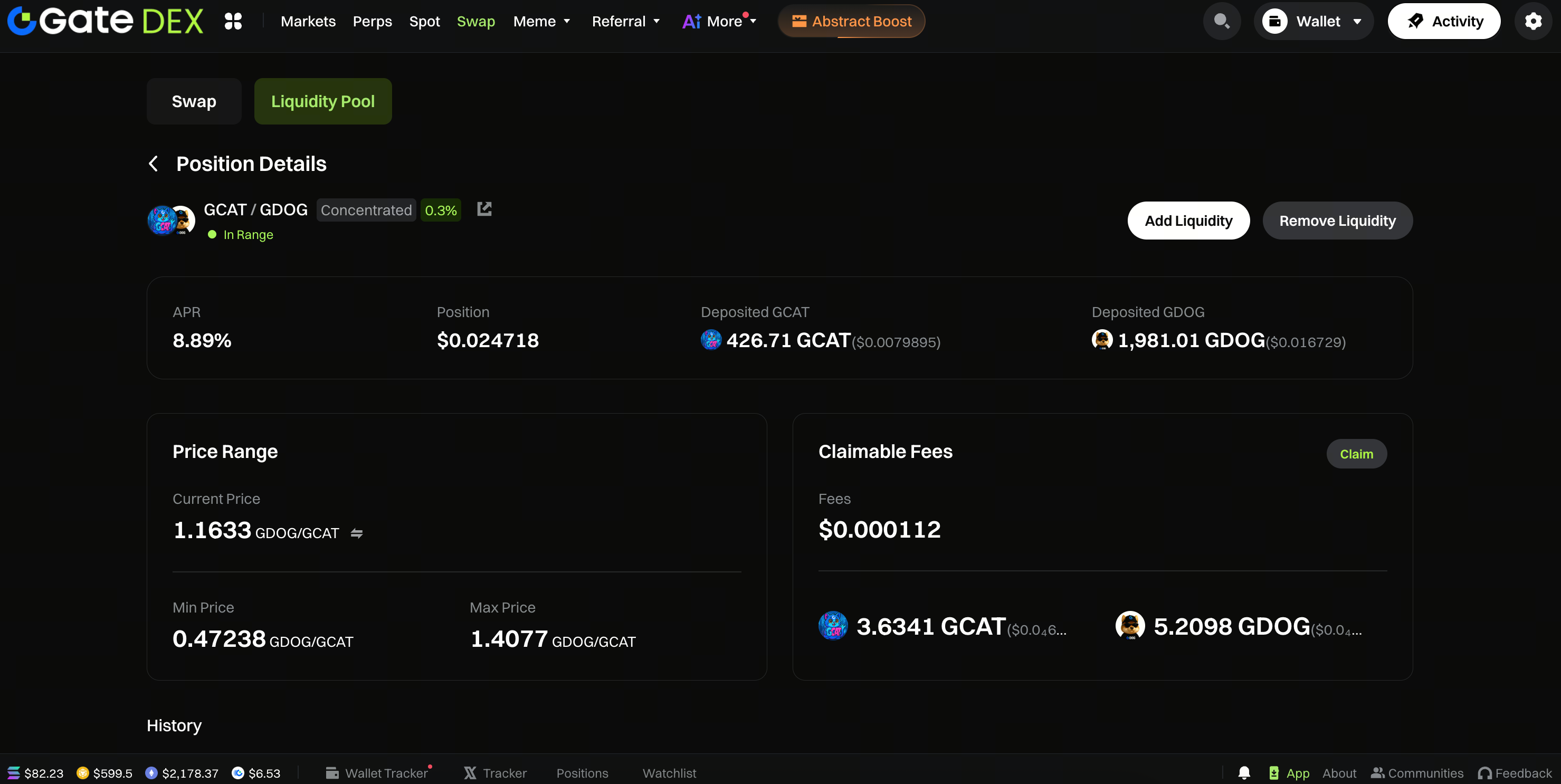
2.Claim income: Enter the position details page, click the "Claim" button, and unclaimed token income will be sent directly to the Wallet.
3.Remove liquidity: On the details page, click "Remove Liquidity," select the removal ratio (25% / 50% / 75% / 100%), and after confirmation, tokens and accumulated Trading Fee will be returned to your Wallet together.
Notes
- Impermanent Loss risk: Although concentrated liquidity increases income, it also makes Impermanent Loss risk more concentrated.
- Dynamic adjustment: When the price continues to exceed the range, it is recommended to adjust the range settings in time to restore income.
- Network confirmation: All operations must be performed on the Gatelayer network. Please reserve a small amount of GT as on-chain interaction Trading Fee.
Gate Team
April 11, 2026
Gateway to Crypto
Trade over 4,700 cryptocurrencies safely, quickly, and easily on Gate
Take Action Now
Sign up and claim up to $10,000 in welcome rewards
Invite friends and earn a 40% commission
Stay Connected
Visit Gate's official website
Download the Gate App | Desktop
Follow us on X (Twitter) to get more bonuses
Join our Telegram community to discuss trending topics
Engage with our global community for the latest insights
Transparency & Security
Check our 100% Proof of Reserves


