Gate’s tools work differently and should be used with that distinction in mind. The stock portfolio bot follows fixed allocation and rebalancing rules rather than predicting future prices. Gate AI mainly helps with information gathering and research, while individual Skills may add analytical or automation functions depending on their design. Understanding those differences matters because AI can improve consistency, speed up research, and automate parts of portfolio management, but it still requires human supervision, clear risk controls, and realistic expectations about what is analysis, what is a signal, and what is actual execution.
Before getting started, prepare a Gate account, sufficient funds, and the latest version of the Gate App. Availability of stock products, bots, AI features, and supported markets may vary by region and account, so the options shown in your interface are the source of truth. From there, this guide walks through how Gate.com’s stock portfolio bots, Gate AI, and Gate Skills Hub are used in practice, including portfolio rebalancing, workflow setup, and the main risk considerations before you automate any part of a stock strategy.
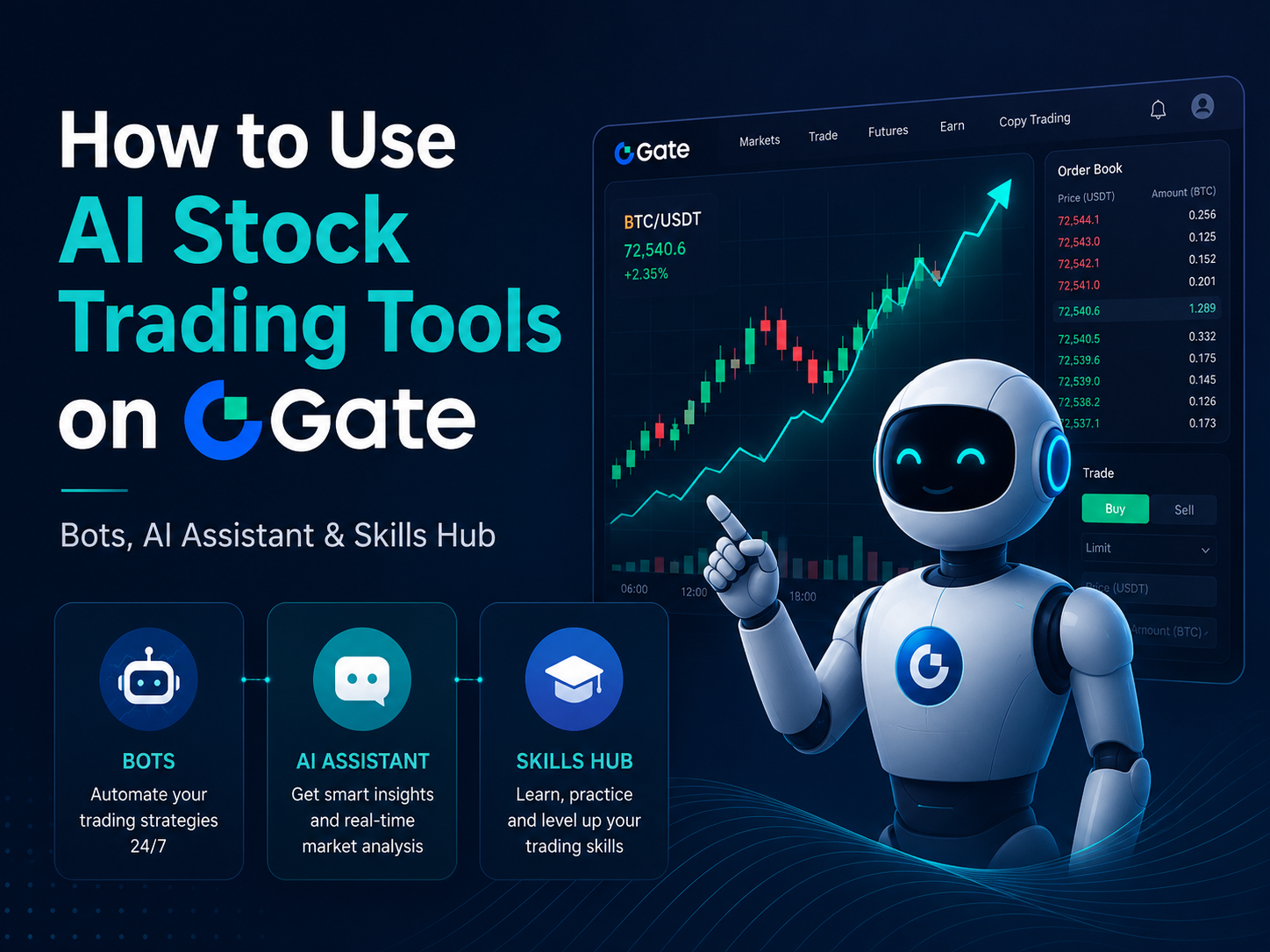
Gate’s AI stock trading-related tools can be grouped into three broad categories: stock portfolio management, conversational market assistance, and AI agent capability expansion. Each category addresses a different part of the workflow and does not necessarily provide direct order execution.
| Gate Tool |
Primary Purpose |
Directly Manages Stock Positions? |
Suitable Use |
| Stock portfolio bot |
Maintains predefined allocations and rebalances a stock portfolio |
Yes |
Rule-based portfolio management |
| Gate AI |
Organizes market information and provides platform guidance |
Usually no |
Market research and product navigation |
| Gate Skills Hub |
Adds data, analytical, and execution capabilities to AI agents |
Depends on the Skill |
Building AI workflows |
| Gate for AI Agent |
Connects agents to tools through Skills, MCP, CLI, and related infrastructure |
Depends on configuration |
Developer and advanced agent use cases |
For retail users who mainly want to manage a diversified stock portfolio, the stock portfolio bot is the most direct tool. Users who need help organizing company information or understanding market concepts may use Gate AI, while those building more advanced agent-based workflows can explore Gate Skills Hub.
The key distinction is between analysis and execution. A tool may explain a market trend without producing a trading signal, or generate a signal without having permission to place an order. Users should verify the role of each tool before relying on it.
What Is the Gate AI Trading Bots Stock Portfolio Bot?
The Gate stock portfolio bot is an automated portfolio-management tool designed for holding and rebalancing multiple stocks. Users select a group of stocks, assign a target percentage to each holding, and define when the bot should restore the portfolio to those target weights.
The bot does not primarily attempt to predict which stock will rise next. Instead, it manages allocation drift. When one holding appreciates and becomes larger than its target percentage, the bot may reduce that position and allocate more capital to holdings that have fallen below their intended weights.
For example, a portfolio may begin with 50% allocated to Stock A and 50% to Stock B. If Stock A rises and its weight increases to 55%, a rebalance can reduce Stock A and add to Stock B so that both positions move closer to the original 50/50 allocation.
Gate’s official product materials state that a stock portfolio can contain between 2 and 10 stocks. Users may assign equal weights or configure the allocation manually, but the total must equal 100%. The bot supports both time-based and allocation-based rebalancing.
Because stock exchanges operate during different market hours, one portfolio generally contains stocks from the same market. A U.S. stock portfolio, for example, should not be expected to combine U.S., Hong Kong, and Korean stocks within the same rebalancing strategy.
How Can Users Create a Gate Stock Portfolio Strategy?
Before creating a stock portfolio strategy, users should set up the market, stock list, allocations, position size, and rebalancing rules as part of a portfolio workflow designed to build effective trading strategies, since AI aids in developing and managing trading strategies and portfolios.
A typical setup process involves the following steps:
-
Open the latest version of the Gate App and enter the trading section.
-
Navigate to Bots and select the stock portfolio bot.
-
Add between 2 and 10 stocks from the same supported market.
-
Choose equal weighting or set the target percentage for each stock manually.
-
Enter the investment amount and confirm that it meets the minimum shown on the page.
-
Select either time-based or allocation-based rebalancing.
-
Review the market, stock selection, weights, and trigger settings before creating the bot.
If you are testing ai for stock trading, validate the model against historical data before using real funds, as backtesting with AI can evaluate strategies against past market conditions.
The interface and available parameters may change as the product is updated. Users should follow the options currently shown in their Gate account rather than relying on an older screenshot or fixed set of steps.
Target allocations should reflect the intended risk structure of the portfolio. Clean data, strict risk management, and backtesting are essential when using AI systems for portfolio automation, because the chosen trading parameters can shape effective trading strategies. Assigning a large percentage to a highly volatile stock can still produce significant losses even when the bot follows its rebalancing rules exactly.
A portfolio bot automates implementation, but it does not determine whether the selected stocks or target weights are suitable. Asset selection remains the responsibility of the user.
What Is the Difference Between Time-Based and Allocation-Based Rebalancing?
Time-based rebalancing restores the portfolio allocation at fixed intervals, while allocation-based rebalancing triggers only when one or more holdings move beyond a predefined deviation threshold. Unlike predictive AI trading models, it reacts to market movements instead of trying to forecast future market movements.
Suppose a portfolio contains NVDA and TSLA at 50% each. With time-based rebalancing, the bot may review and restore the allocation at a fixed interval, even when the deviation is relatively small. With allocation-based rebalancing, the bot acts only after a holding moves sufficiently far from its target.
| Comparison |
Time-Based Rebalancing |
Allocation-Based Rebalancing |
| Trigger |
Fixed time interval |
Allocation deviation reaches a threshold |
| Trading frequency |
More predictable |
Depends on price volatility |
| Suitable use |
Regular portfolio maintenance |
Rebalancing only after meaningful drift |
| Main concern |
Small deviations may still trigger trades |
Large thresholds may allow prolonged drift |
| Key parameter |
Rebalancing interval |
Deviation percentage |
This differs from machine learning systems that use predictive modeling for market predictions and identify mathematical price patterns to anticipate market behavior.
Frequent rebalancing may increase the number of transactions and associated costs. Rebalancing too rarely may allow the portfolio to move far away from its original risk allocation.
Neither method guarantees better returns. In a strong one-way market, repeatedly reducing the best-performing holding may cause the rebalanced portfolio to underperform a concentrated buy-and-hold position. Rebalancing is primarily a risk-allocation process rather than a guaranteed return-enhancement method.
How Can Gate AI Support Stock Market Research?
Gate AI can help users organize market information, understand financial concepts, and navigate relevant Gate products through natural-language queries. As an ai tool for stock traders, it can support data analysis, market research, and efforts to analyze market trends, but it should remain an initial research assistant rather than a substitute for official company disclosures or independent analysis.
In a stock research workflow, users may ask Gate AI to summarize the main events affecting a company, compare the business models of two firms, explain valuation indicators, or organize the factors that may influence an industry.
Suitable research tasks include:
-
Summarizing major events affecting a company or sector;
-
Explaining financial metrics, order types, and portfolio concepts;
-
Comparing the business models or risk characteristics of several stocks;
-
Organizing earnings, news, and macroeconomic information, including sentiment analysis for market sentiment by scanning news feeds or social sources for trading opportunities;
-
Identifying relevant Gate products or platform features.
AI can analyze unstructured text and vast datasets in real-time, but users still need to verify outputs and keep sources up to date.
Gate AI output should still be verified. Real-time stock prices, earnings results, regulatory filings, and company announcements may change quickly, and an AI-generated answer may be incomplete, delayed, or based on limited context.
Users should also avoid assuming that an analytical function designed for crypto markets automatically applies to stocks. The supported market, data source, and update frequency should be checked for each task.
How Does Gate Skills Hub Expand AI Agent Capabilities?
Gate Skills Hub provides modular capabilities that AI agents can discover, install, and combine. By combining specialized tools, users can improve efficiency with advanced AI tools, AI-powered systems, and related AI systems that analyze market trends, support trading systems, and in some cases extend across multiple markets.
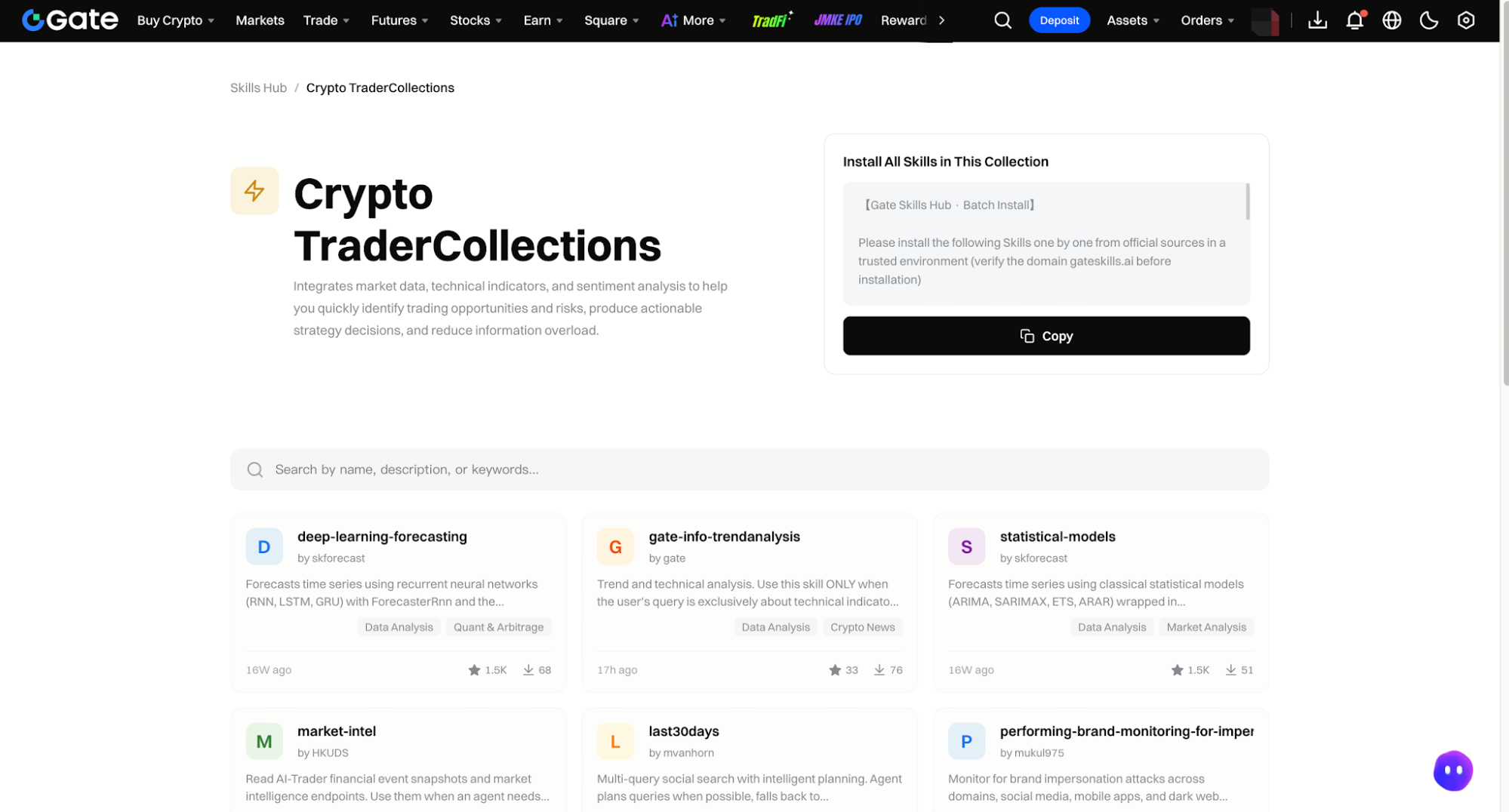
The crypto trader collection shown in Gate Skills Hub includes different types of analytical and operational capabilities. Some Skills focus on technical analysis or time-series forecasting, while others provide market intelligence or connect to specific trading functions.
Examples shown in the collection include capabilities related to:
-
Trend and technical indicator analysis;
-
Statistical time-series models;
-
Deep learning-based forecasting;
-
Market intelligence and financial event monitoring;
-
Trading signals and selected execution workflows.
Skills Hub should be understood as an agent capability layer rather than a single AI stock trading product. A user may combine Skills into a workflow such as collecting market information, analyzing trends, and generating a signal, which may help users build AI trading strategies or complex trading strategies depending on the Skill. Whether that workflow can place a stock order depends on the specific Skill, supported product, connected account, and permissions.
Not every Skill is designed for stocks. Some are explicitly focused on crypto, DEX trading, dual-investment products, or other markets. Users should check the Skill description instead of inferring functionality from its name.
Before installing or enabling a Skill, users should confirm:
-
Who developed and published the Skill;
-
Whether it supports stocks, crypto, or another market;
-
Which data sources it uses, how frequently they update, and whether outputs are monitored as market conditions change and markets evolve;
-
Whether it requires account, portfolio, or trading permissions;
-
Whether its output is analysis, a trading signal, or an executed order;
-
Whether it provides logs, position limits, and manual approval controls.
How Can Users Distinguish Analysis, Trading Signals, and Automated Execution?
An analytical tool interprets information, a signal tool expresses a possible trading condition, and AI trading systems use trading algorithms to separate analysis, signals, and the ability to execute trades after receiving the necessary permissions. These functions should be evaluated separately.
For example, asking Gate AI to summarize recent news affecting a stock is an analytical task. A model assigning a “buy” score is signal generation. A stock portfolio bot actually buying and selling holdings to restore target weights is automated execution. Tools that execute trades automatically based on preset rules can act much faster than human traders, sometimes in milliseconds, but they still require user oversight.
| Tool Level |
Typical Output |
Requires Trading Permission? |
Main User Responsibility |
| Analysis tool |
Summaries, comparisons, and indicator explanations |
Usually no |
Verify the information |
| Signal tool |
Ratings, alerts, or trading conditions |
Not always |
Decide whether the signal is relevant |
| Execution tool |
Orders or portfolio adjustments |
Yes |
Set limits and monitor activity |
| AI agent workflow |
Multi-step analysis or controlled execution |
Depends on configuration |
Manage permissions and tool behavior |
An analysis result is not the same as a trade recommendation, and a signal does not automatically mean that an order will be placed. Users should confirm whether each stage requires manual approval.
A cautious adoption process is to begin with research tools, observe signals without execution, and only then consider limited automation through automated trading strategies. This helps users identify weaknesses in the data, strategy, and execution process before real capital is exposed, since ai trading is usually most effective as decision support first rather than a replacement for human judgment.
Users should separate market risk from tool risk. A bot may operate exactly as configured while the underlying stocks decline, and ai trading bots or trading bots may reduce emotional mistakes without removing market risk. An AI assistant may summarize public information correctly but still fail to anticipate an unexpected event.
The stock portfolio bot carries allocation and rebalancing risks. Poor stock selection, concentrated target weights, or overly frequent rebalancing can negatively affect performance. Market hours may also restrict when the bot can adjust holdings or terminate a strategy.
Gate AI and Skills Hub introduce information and permission risks. AI-generated output may be incomplete or delayed, while third-party Skills may rely on different data sources and models. Skills that connect to an account should be given only the minimum permissions required.
Common mistakes include:
-
Treating a portfolio rebalancing bot as a price prediction system;
-
Choosing a rebalancing threshold without understanding how often it may trade;
-
Acting on an AI-generated signal without verifying the underlying data;
-
Installing a Skill without checking its developer, supported market, or permissions;
-
Granting broad trading or transfer permissions to an untested workflow.
Users should regularly review positions, bot status, trading records, connected tools, and account permissions. Continuous oversight is necessary because the current market environment, market volatility, and market changes can weaken automated models. Automation should be reconsidered whenever the strategy, data source, market environment, or product rules change.
No AI assistant, trading bot, or Skill can guarantee profits. Automation may improve trading discipline and consistency, but it cannot remove investment losses, technical failures, or model errors.
Summary
Gate’s AI stock trading-related ecosystem includes three main layers. The stock portfolio bot provides rule-based portfolio rebalancing, Gate AI supports market research and platform guidance, and Gate Skills Hub adds modular analytical and automation capabilities to AI agents. In the broader market, artificial intelligence ai and algorithmic systems now account for over 70% of daily trading volume, but this overview stays focused on Gate’s tools.
When creating a stock portfolio bot, users select stocks from the same supported market, assign target weights totaling 100%, and choose between time-based and allocation-based rebalancing. The bot automates portfolio adjustments but does not reliably predict future stock prices.
When using Gate AI or Skills Hub, users should determine whether the output is analysis, a trading signal, or an executed action. Data quality, account permissions, trading costs, market availability, and human supervision remain essential. Wider use of ai for trading stocks does not remove the need for cost awareness or disciplined risk management.
The most appropriate tool depends on the task. Research assistants help organize information, portfolio bots maintain predefined allocations, and Skills support configurable AI workflows. None of these functions should be treated as a replacement for independent judgment or risk management.
FAQ
Is the Gate Stock Portfolio Bot an AI Price Prediction Bot?
No. Its primary purpose is to maintain user-defined portfolio allocations through automated rebalancing rather than predict the future price of individual stocks.
How Many Stocks Can Be Added to a Gate Stock Portfolio Bot?
A portfolio can include between 2 and 10 supported stocks. The stocks should belong to the same market, and their target allocations must add up to 100%.
Can a Gate Stock Portfolio Combine U.S. and Hong Kong Stocks?
Generally no. Stocks from different markets follow different trading hours, so a single portfolio is designed to contain stocks from the same supported market.
Can Gate AI Select Stocks for Users Automatically?
Gate AI can organize market information and explain relevant indicators, and it may help generate stock picks or surface trade ideas for review, but users should verify the data and use their own judgment. Its output should not be treated as a guaranteed stock selection result, and ai investing can support discipline, but it does not guarantee profitable stock picks.
Do Users Need Programming Skills to Use Gate Skills Hub?
Basic Skill discovery and installation may not require programming. Building complex workflows, while more advanced uses like quantitative trading, algorithmic trading, or high frequency trading require significantly more technical skill, configuring permissions, or connecting a custom AI agent typically requires additional technical knowledge.
Not always. If one or more stocks in the portfolio are outside trading hours, closing or adjusting the bot may be delayed until the relevant market is open.