Gate TradFi Stocks now supports transfer-in and transfer-out applications for U.S. stocks and Hong Kong stocks. Users can apply to transfer stocks held at external brokers into Gate, or transfer stocks from their Gate Stocks Account to other brokers.
The current transfer method is FOP transfer. U.S. stock transfers are processed through DTC, while Hong Kong stock transfers are processed through CCASS. Gate does not charge stock transfer fees. Transfers are expected to take 3-15 business days, with the actual completion time subject to processing progress.
Function Entry
After opening the Gate App, go to:
[TradFi] - [Stocks] - [More] - [Common Features] - [Transfer In Stocks] / [Transfer Out Stocks]
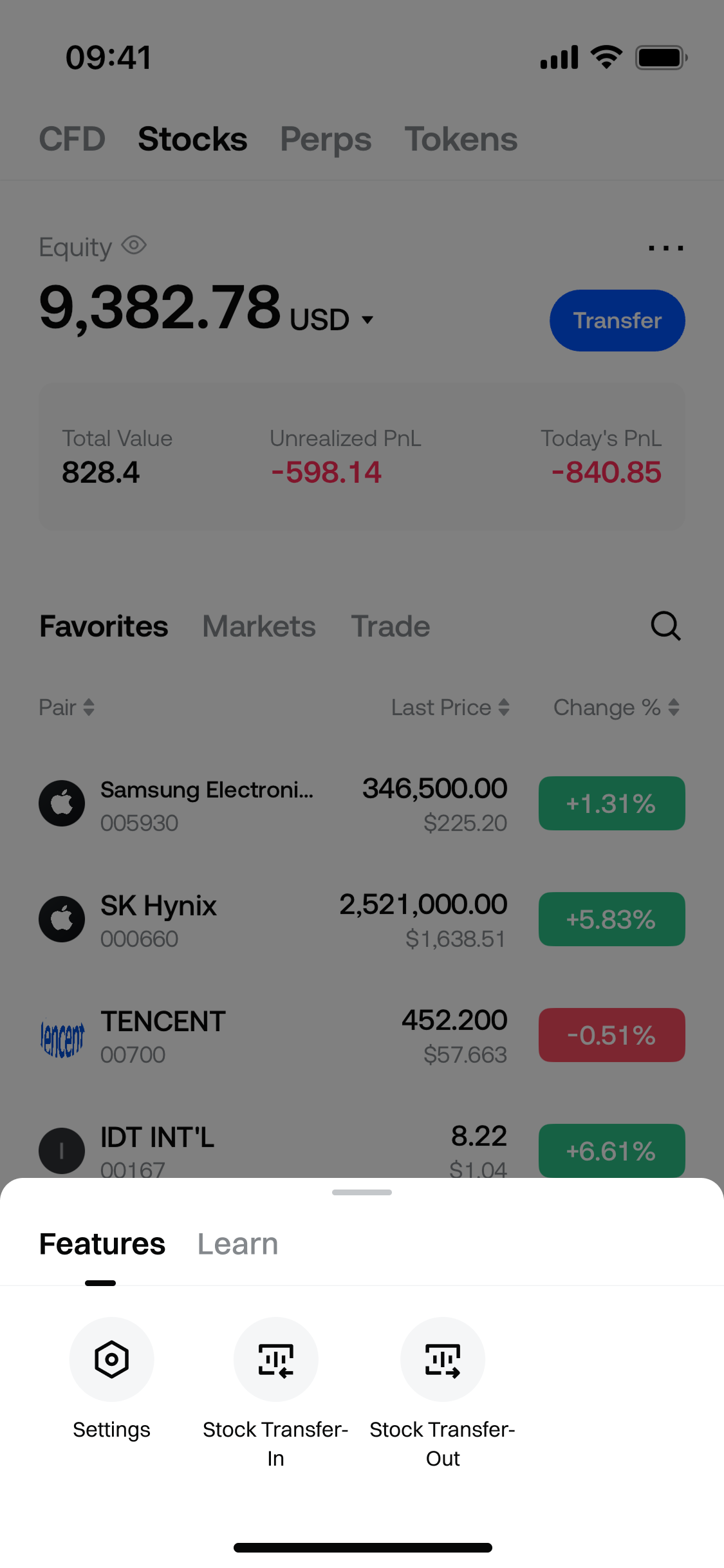
After entering the page, first select the market type:
- U.S. Stocks
- Hong Kong Stocks
Application records can be viewed at the bottom of the page. You can later check processing progress through the application records.
How to Transfer In Stocks
Applicable scenario: You hold U.S. or Hong Kong stocks at another broker and want to transfer them into your Gate Stocks Account.
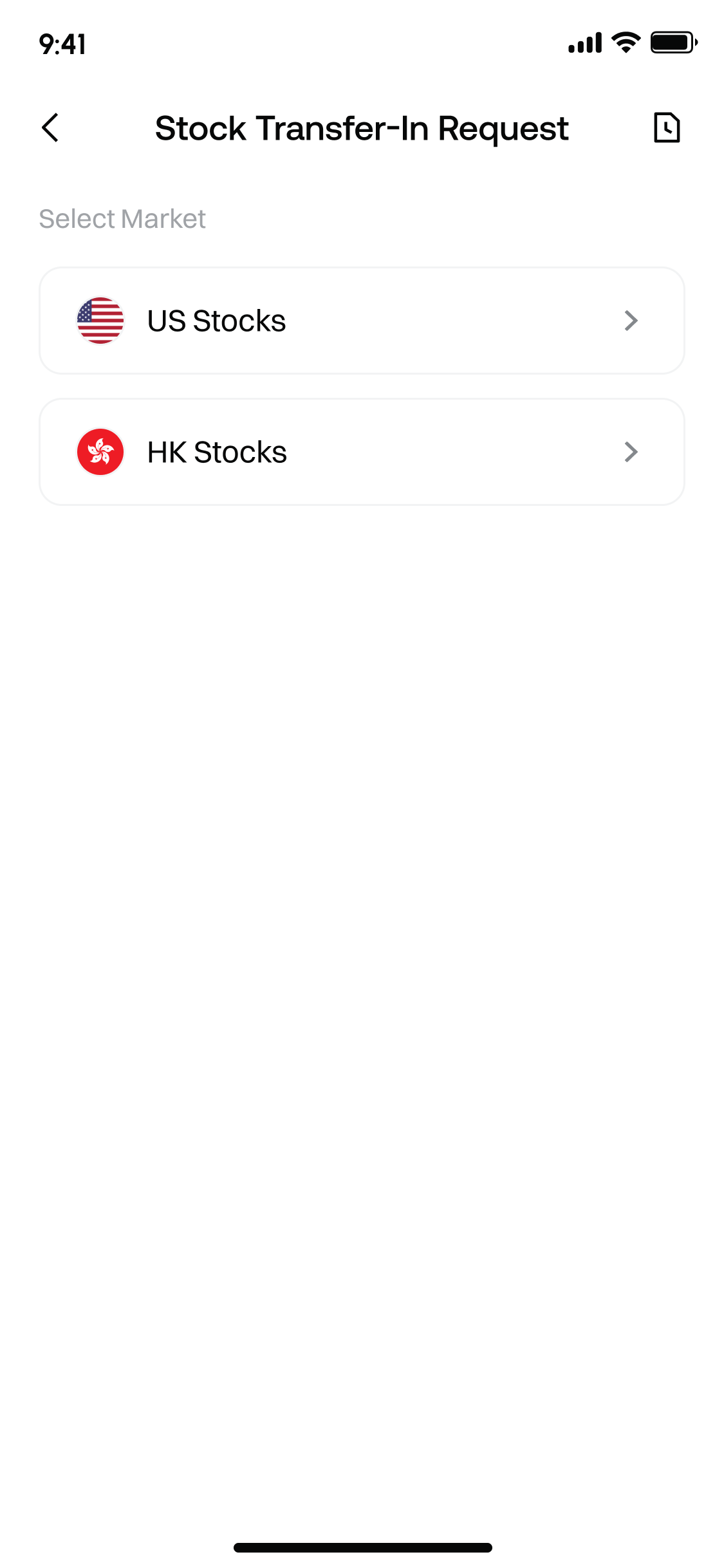
1. Select Market
After entering the “Transfer In Stocks” page, select the market you want to transfer in: U.S. Stocks or Hong Kong Stocks.
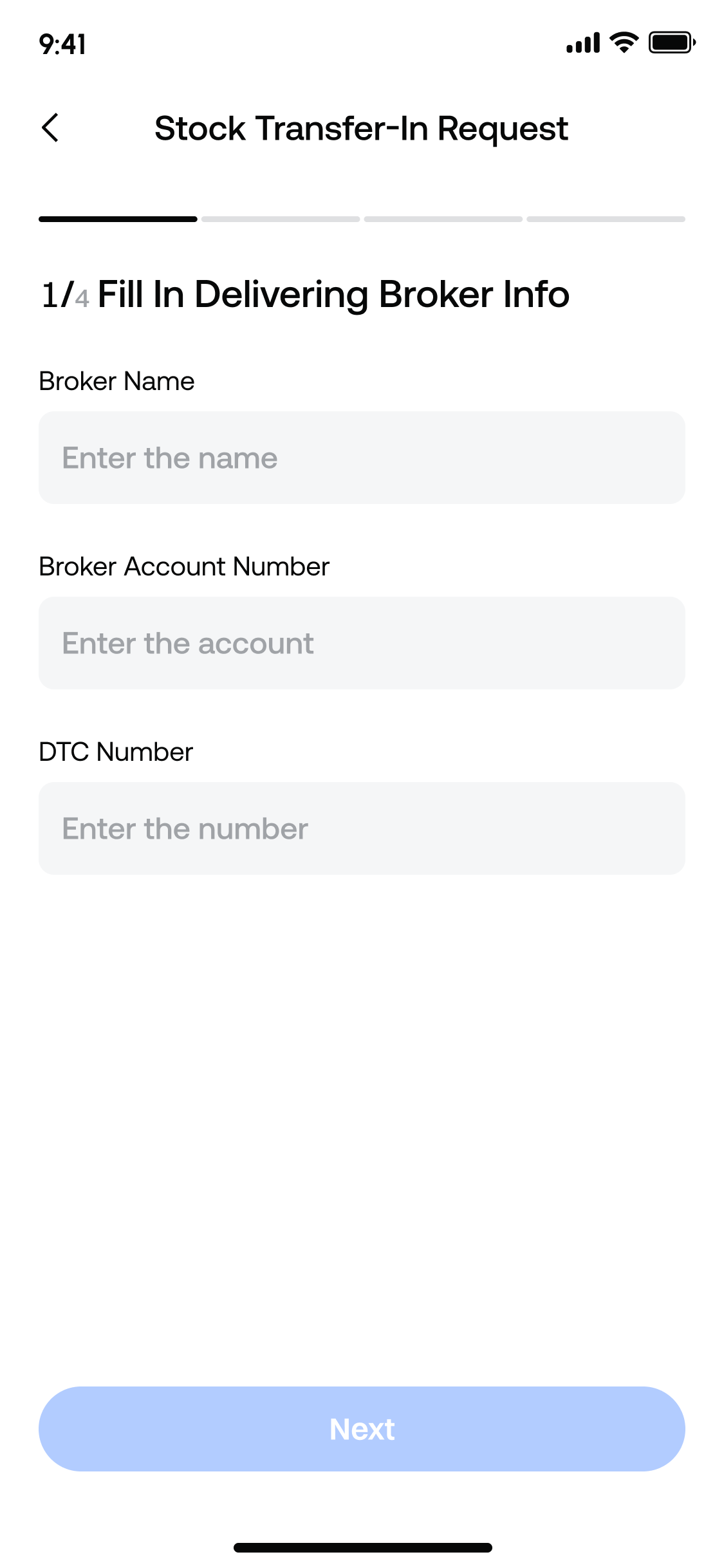
2. Fill in the Transfer-out Broker Information
Fill in the external broker information according to the page prompts:
- Broker name
- Broker account number
- DTC code / CCASS code
For U.S. stocks, a DTC code is required. For Hong Kong stocks, a CCASS code is required.
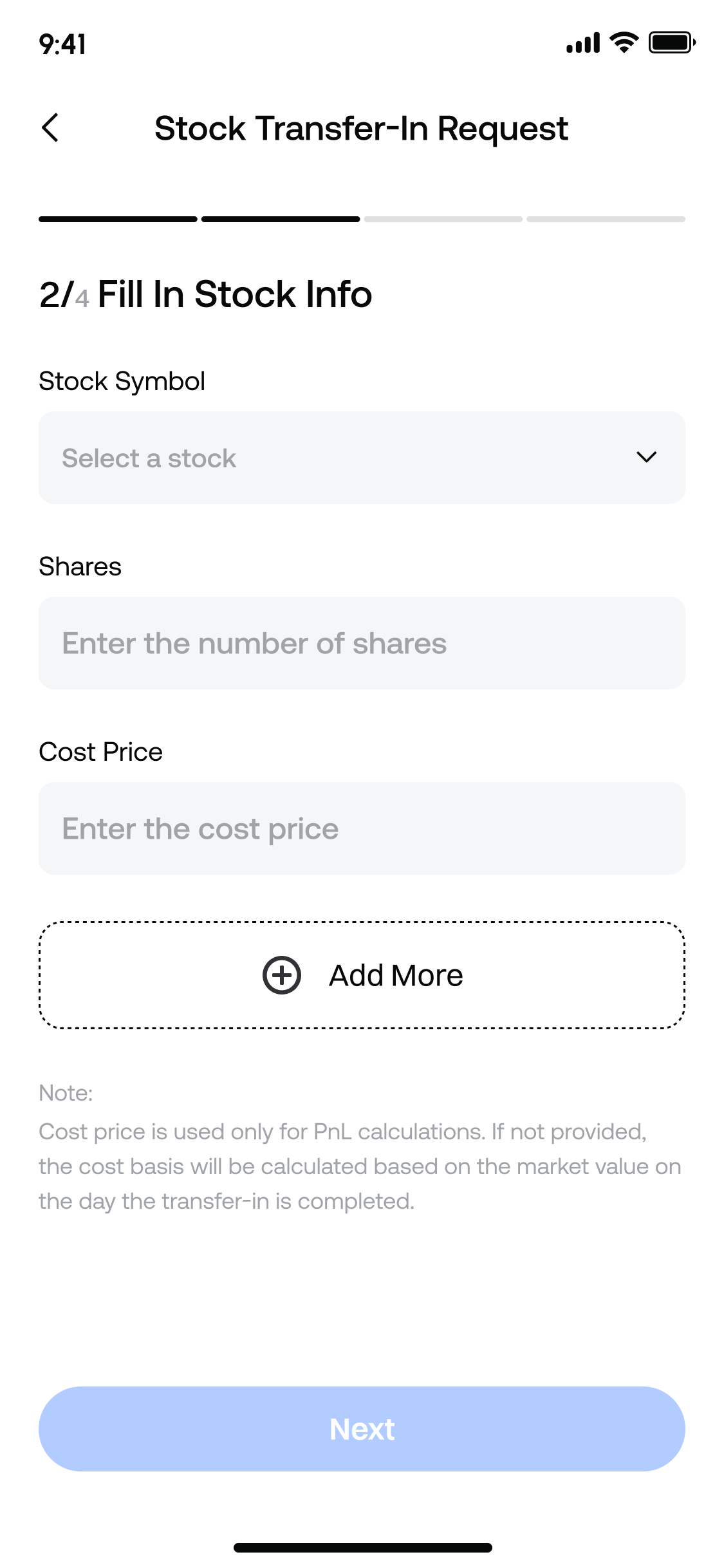
3. Fill in Stock Information
Continue filling in the stock information to be transferred in:
- Stock ticker: required, search supported
- Number of shares: required, supports up to two decimal places
- Cost price: optional
The cost price is mainly used for subsequent PnL display and calculation. If not filled in, the market value on the successful transfer-in date will be used as the cost reference.
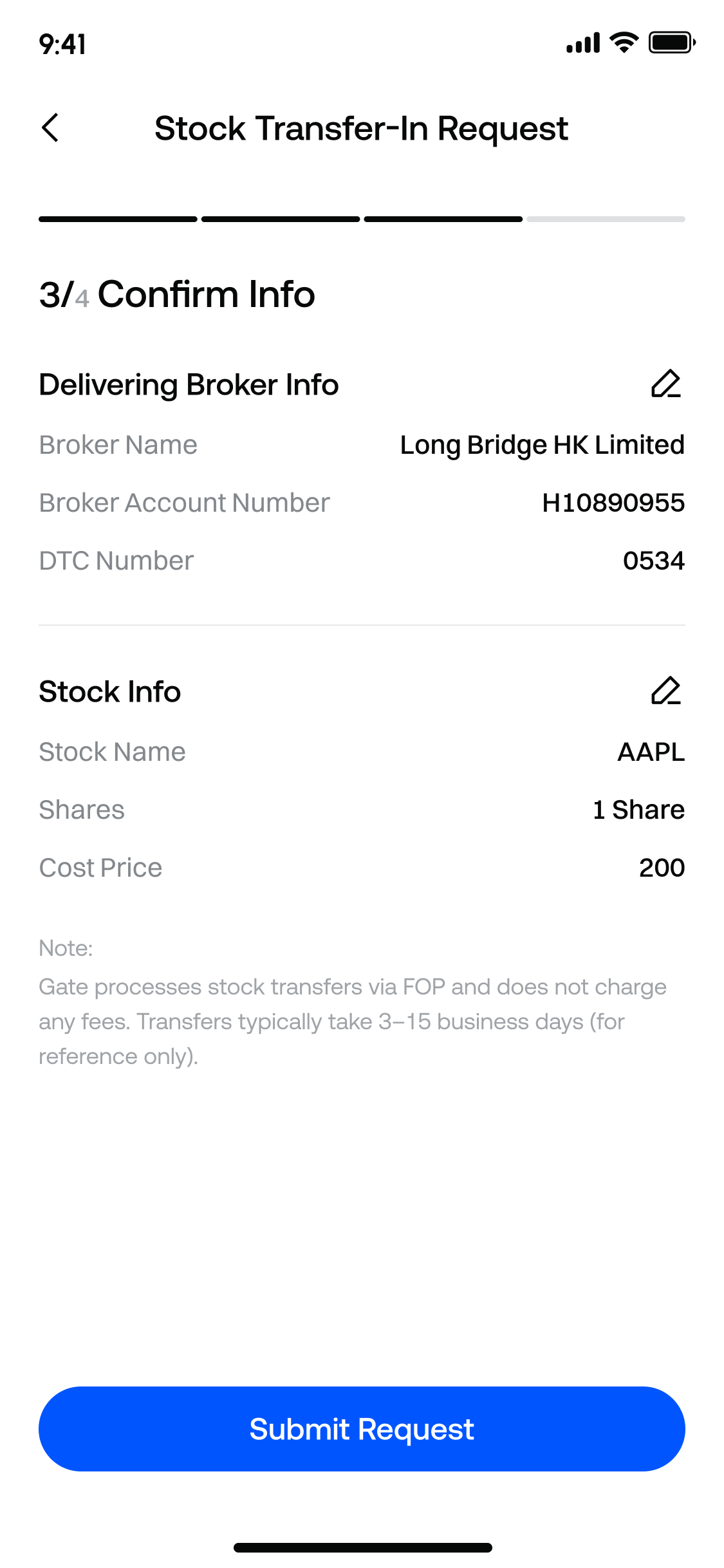
4. Confirm and Submit Application
Check the transfer-out broker information and stock information on the confirmation page. Submit the application after confirming everything is correct.
Before submission, the page will remind you that Gate uses FOP for stock transfers and does not charge any fees. The transfer process is expected to take 3-15 business days, for reference only.
5. Contact the Original Broker to Initiate Transfer-out
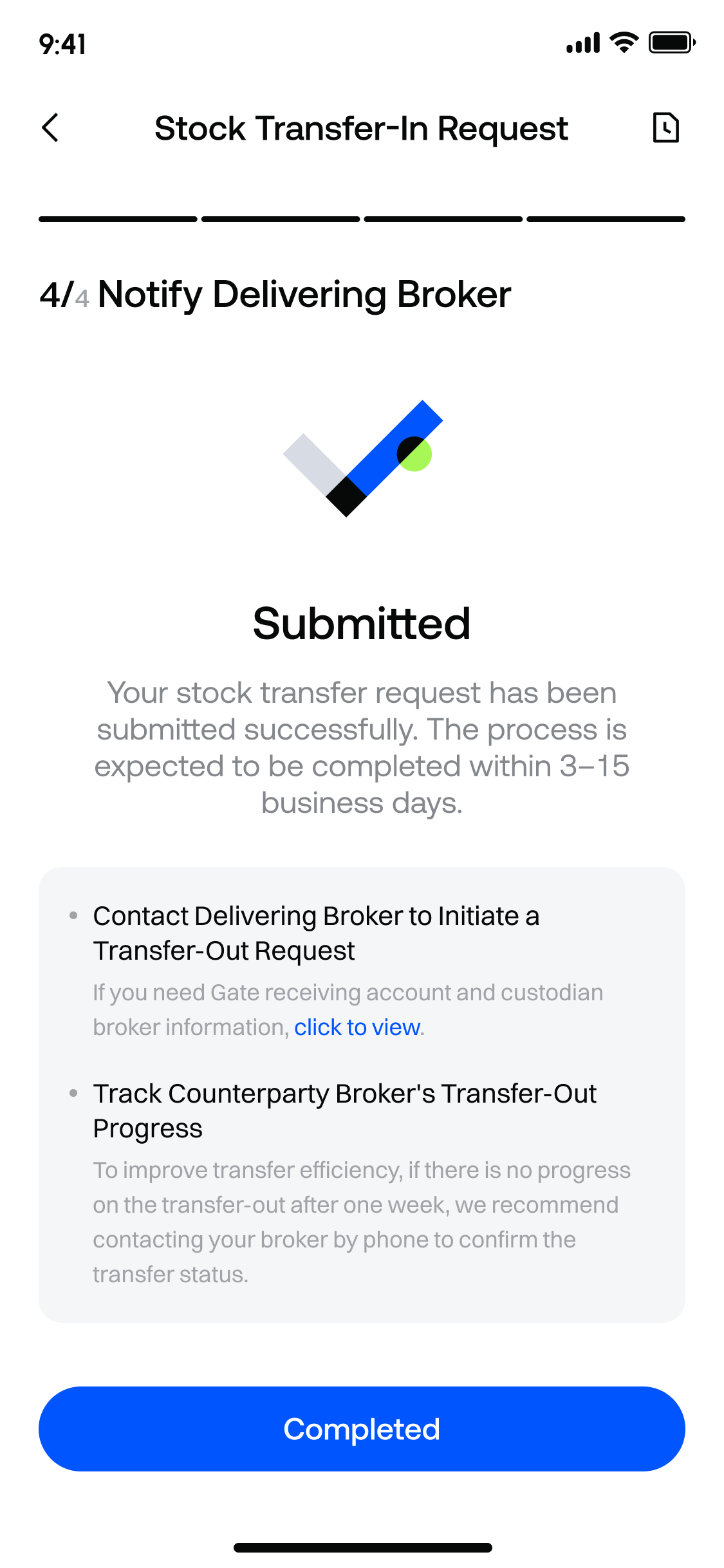
After successful submission, you still need to contact the original broker to initiate the transfer-out application. If you need Gate’s receiving account and custody information, you can view it on the page.
If there is no clear progress after one week, we recommend contacting the original broker to confirm the stock transfer processing status.
How to Transfer Out Stocks
Applicable scenario: You want to transfer U.S. or Hong Kong stock positions from your Gate Stocks Account to another broker.
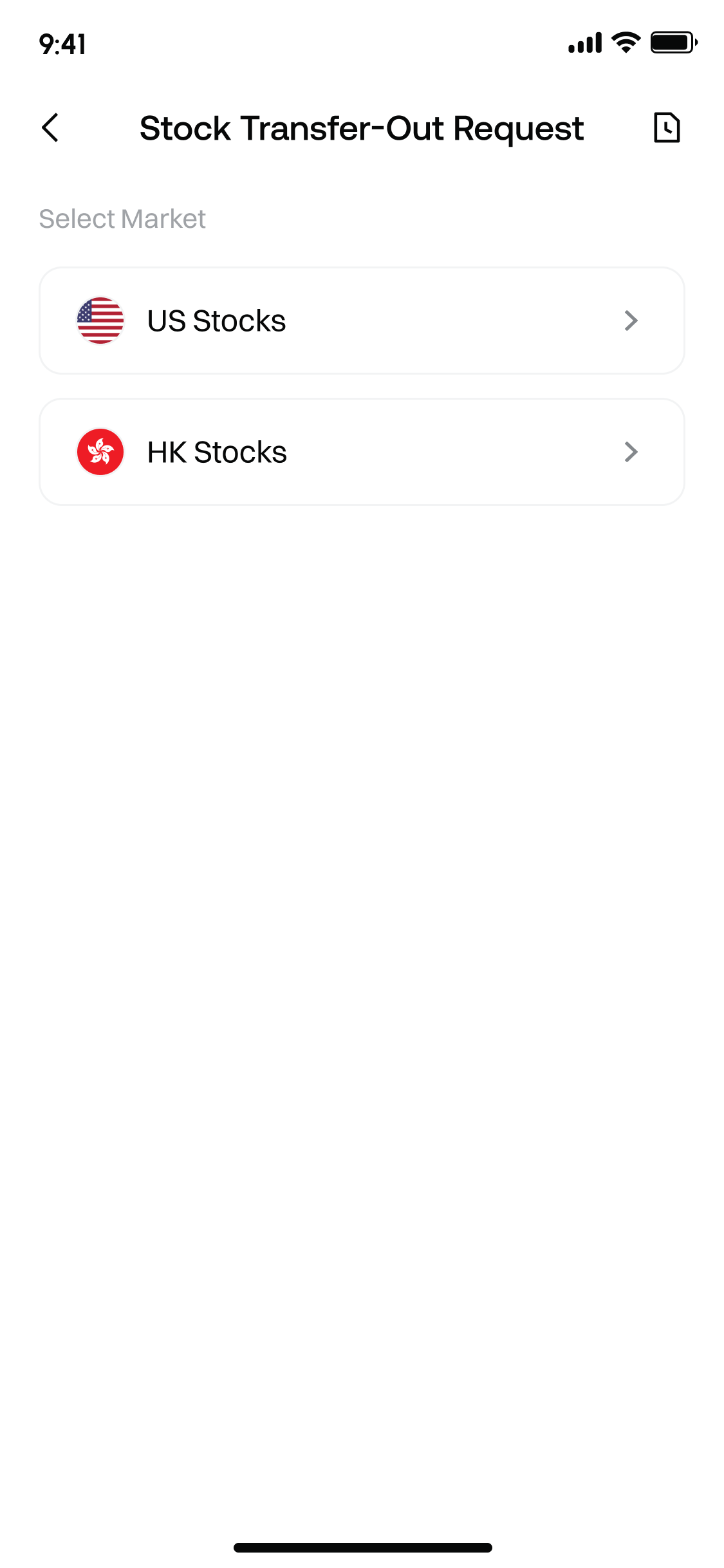
1. Select Market
After entering the “Transfer Out Stocks” page, select the market you want to transfer out: U.S. Stocks or Hong Kong Stocks.
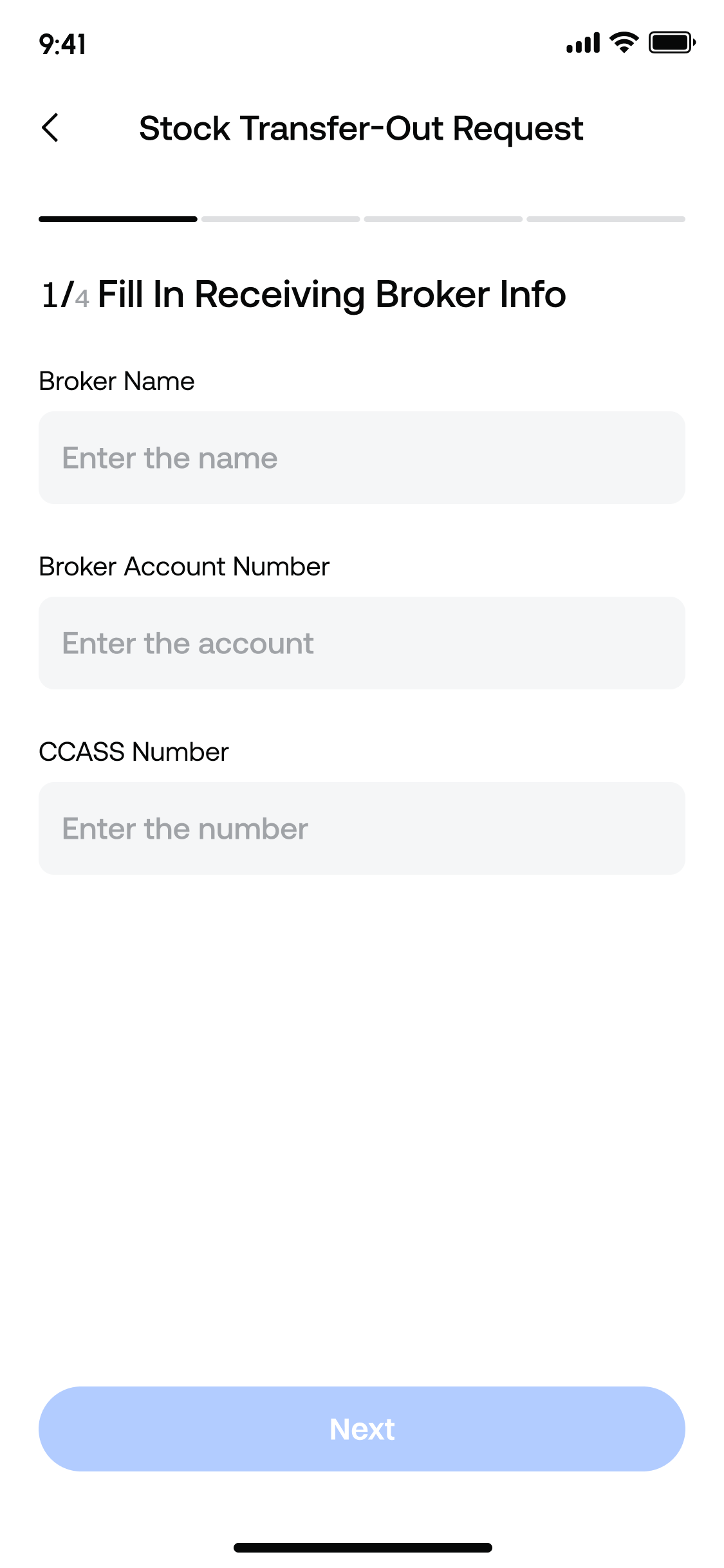
2. Fill in Receiving Broker Information
Fill in the receiving broker information according to the page prompts:
- Broker name
- Receiving broker account number
- DTC code / CCASS code
For U.S. stocks, a DTC code is required. For Hong Kong stocks, a CCASS code is required.
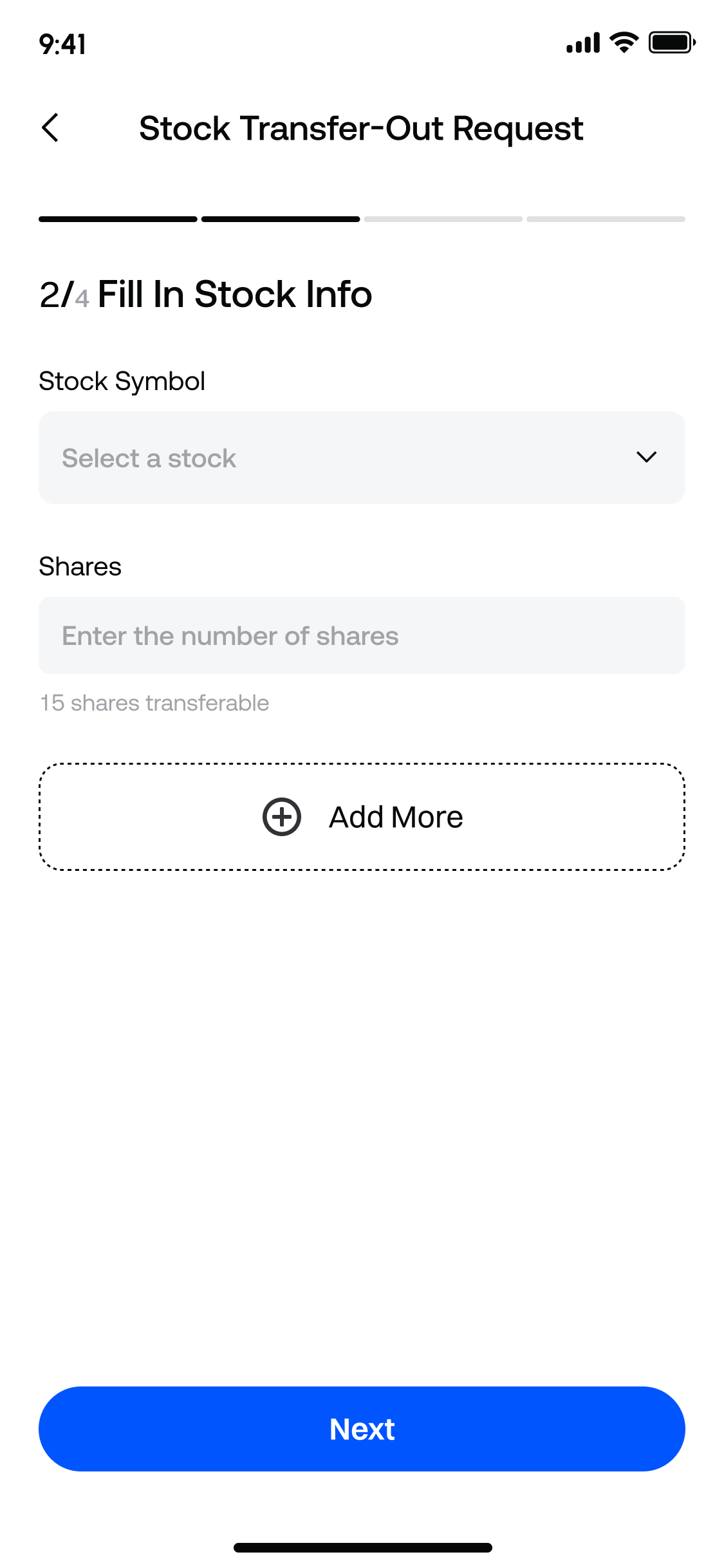
3. Select Stock and Fill in Quantity
Select the stock you want to transfer out. Transfers out only support stocks currently held in your Gate Stocks Account.
The page will display the current transferable share quantity. The transfer-out quantity entered cannot exceed the current transferable holding quantity.
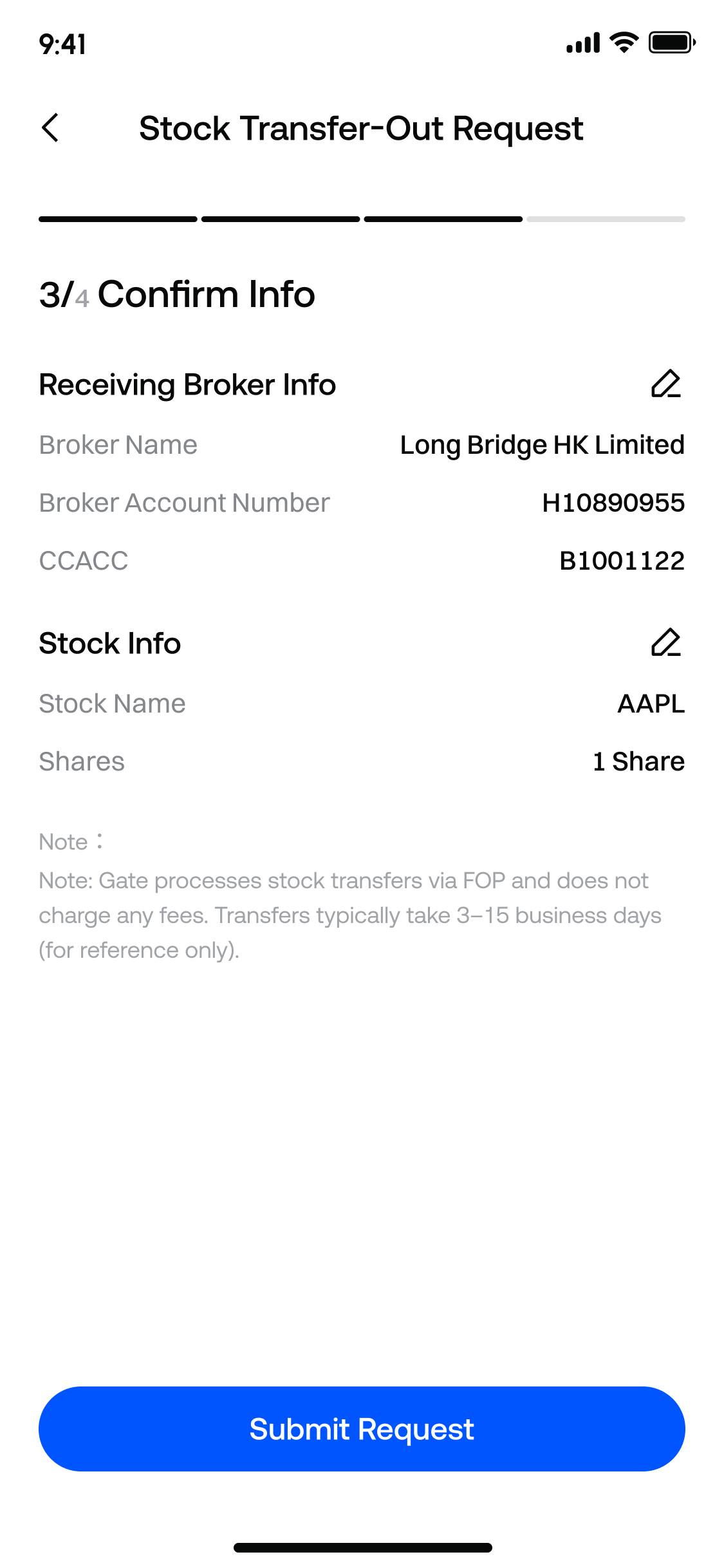
4. Confirm and Submit Application
Check the receiving broker information and stock information. After clicking submit, a second confirmation prompt will appear. The transfer-out application will only be officially submitted after confirmation.
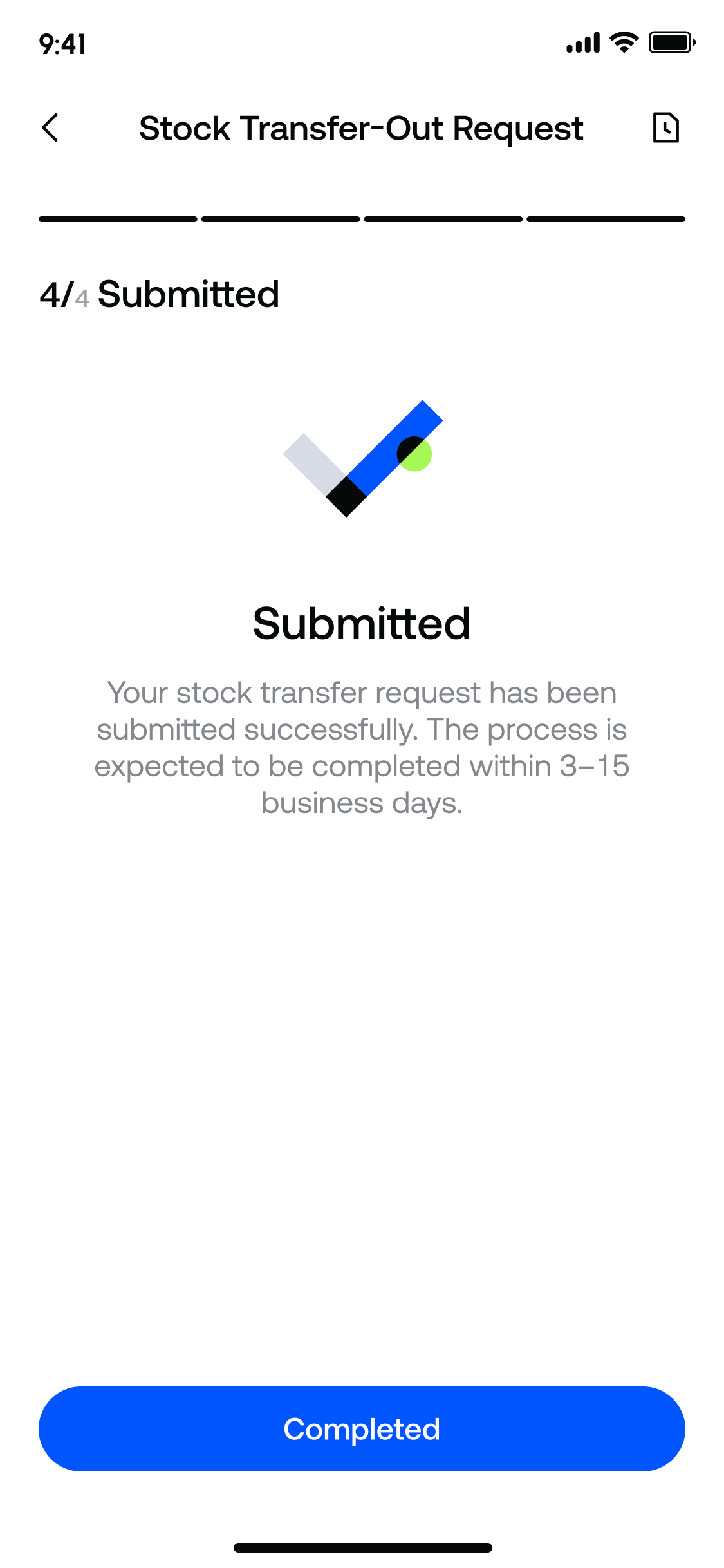
5. Check Processing Progress
After successful submission, you can check the processing status of the corresponding transfer-out application through the application records.
Application Status Description
The application records will display the processing status of stock transfer applications:
- Processing: The application has been submitted and is being processed
- Completed: The stock transfer has been completed
- Canceled: The application has been canceled and will no longer be processed
Stock transfers are usually not completed in real time and require coordination between both brokers and market processes. Please monitor the application records and the progress at the receiving or original broker.
Fees and Processing Time
Under the current product arrangement, Gate does not charge fees for stock transfers in or out.
If an external broker charges fees, they are generally subject to that broker’s rules, and Gate cannot waive them on your behalf.
Stock transfers are expected to take 3-15 business days. The actual arrival or completion time depends on the processing efficiency of both brokers and market procedures.
Gate Team
July 1, 2026
Gateway to Crypto
Trade over 4,700 cryptocurrencies safely, quickly, and easily on Gate
Take Action Now
Sign up and claim up to $10,000 in welcome rewards
Invite friends and earn a 40% commission
Stay Connected
Visit Gate's official website
Download the Gate App | Desktop
Follow us on X (Twitter) to get more bonuses
Join our Telegram community to discuss trending topics
Engage with our global community for the latest insights
Transparency & Security
Check our 100% Proof of Reserves


